
Know where your edge comes from.
Follow any result back to the positions, spots and hands behind it. PokerForge turns your hand histories into evidence you can review.
PokerForge runs on Windows PCs. On a Windows tablet? Download it here.
- Free during beta
- Windows 10 and 11
- Your hands stay on your PC


Reads hand histories from
 PokerStars
 GGPoker
 Winning Network (ACR)
 iPoker
 CoinPoker
Follow a result to the hands behind it.
Track what happened, find where it came from, review the hands, then work on the spot. Pick any view: these are the real screens of the current release.
 PokerForge — Dashboard
Results over time
Your results as lines you can read: total winnings, showdown and non-showdown, and all-in EV, with results by stake underneath.
Dashboard. PokerForge 1.0.0-beta.10, generated demo hands.
From hand history to the hand worth reviewing.
No account and nothing to upload. PokerForge works from the files your poker client already saves. How it works
- 1
Point it at your hand histories
Choose the folders your poker client saves to, or import downloaded files and zips. New hands come in while you play.
- 2
It builds a database on your PC
Results, positions, EV and every decision you made, stored locally and kept up to date in the background.
- 3
Follow results to hands
From the Dashboard to a position, a spot or an opponent, then to the hands themselves in the replayer.
Desktop, not cloud. Your hand histories and database stay on your PC.
No account. Install and start without a sign-up.
Privacy detailsOne connected record
More than a graph.
One place to improve.
PokerForge connects the result, the session, the decision and the hand—so the next study session starts with evidence, not a guess.
-
01 Track
See the session inside the result.
Follow winnings, EV and volume over time, then open the sessions that created the line.
Explore tracking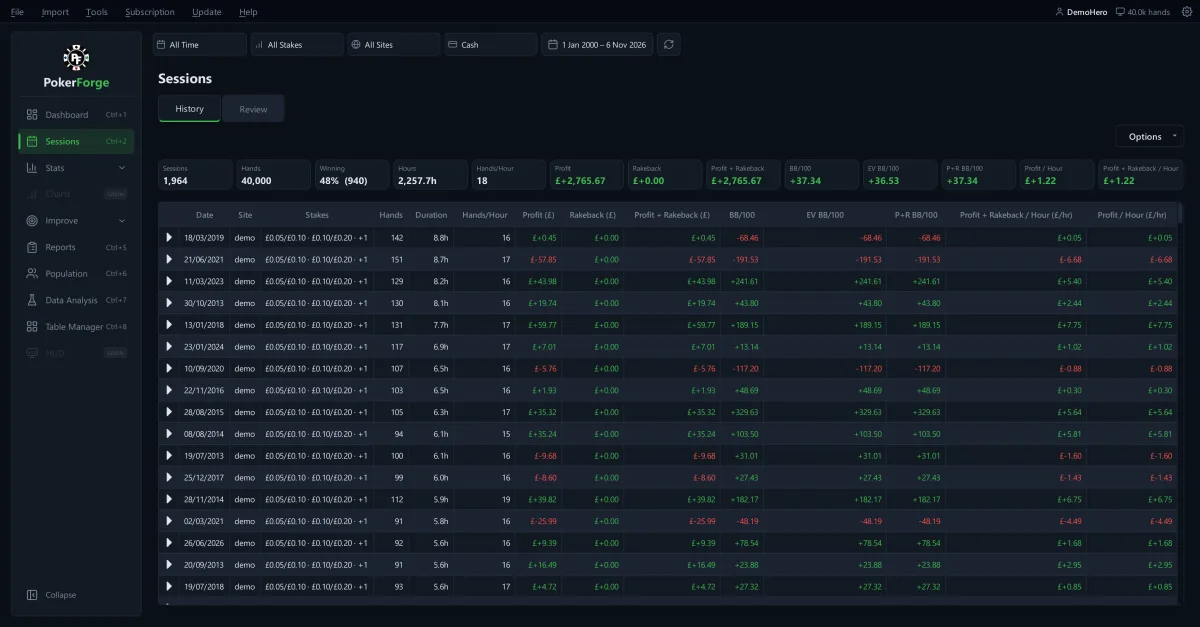
Sessions › History · generated demo hands -
02 Analyse
Turn frequencies into a spot you can act on.
Stats and Reports show how often a decision happened, the result it produced and the hands beneath it.
Explore analysis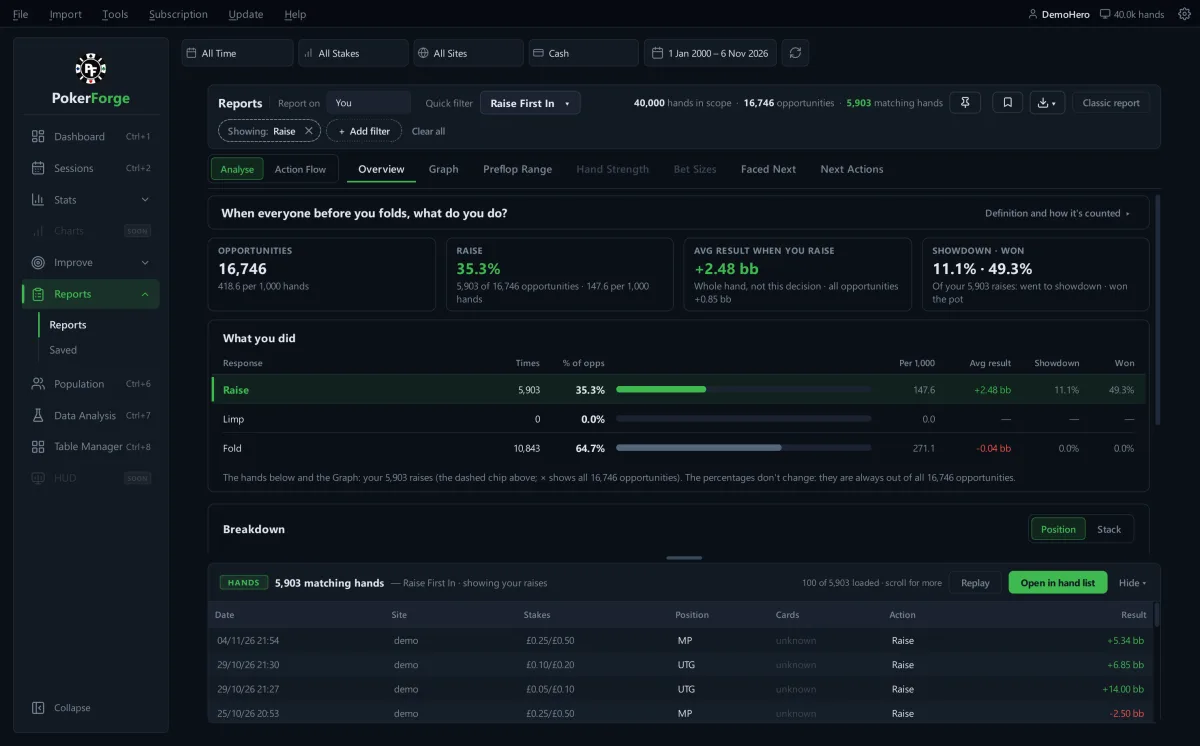
Reports · next update, demo hands -
03 Review
Read the hand, and the player behind it.
Replay the action street by street, or open the opponent your decisions were made against.
Explore review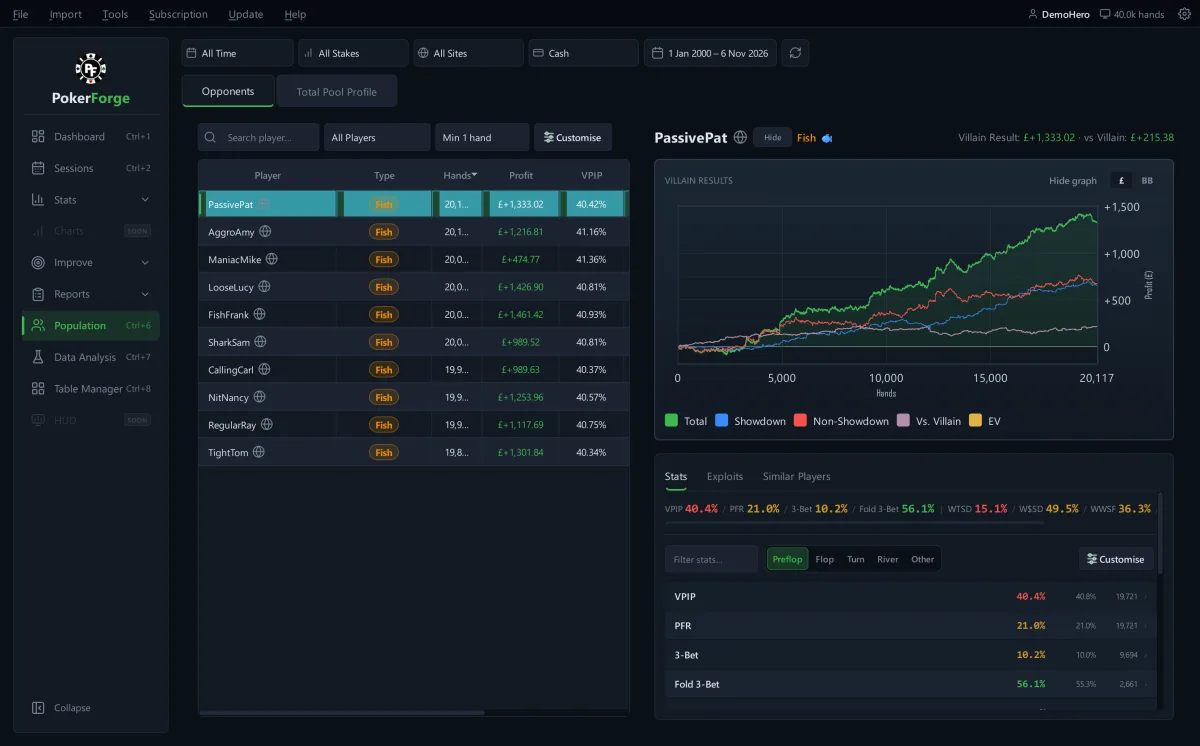
Population › Opponents · next update, demo hands -
04 Improve
Give the next session a purpose.
Pick a leak to work on in Focus: PokerForge records where you are, sets a target and checks each new batch of hands.
Explore improvement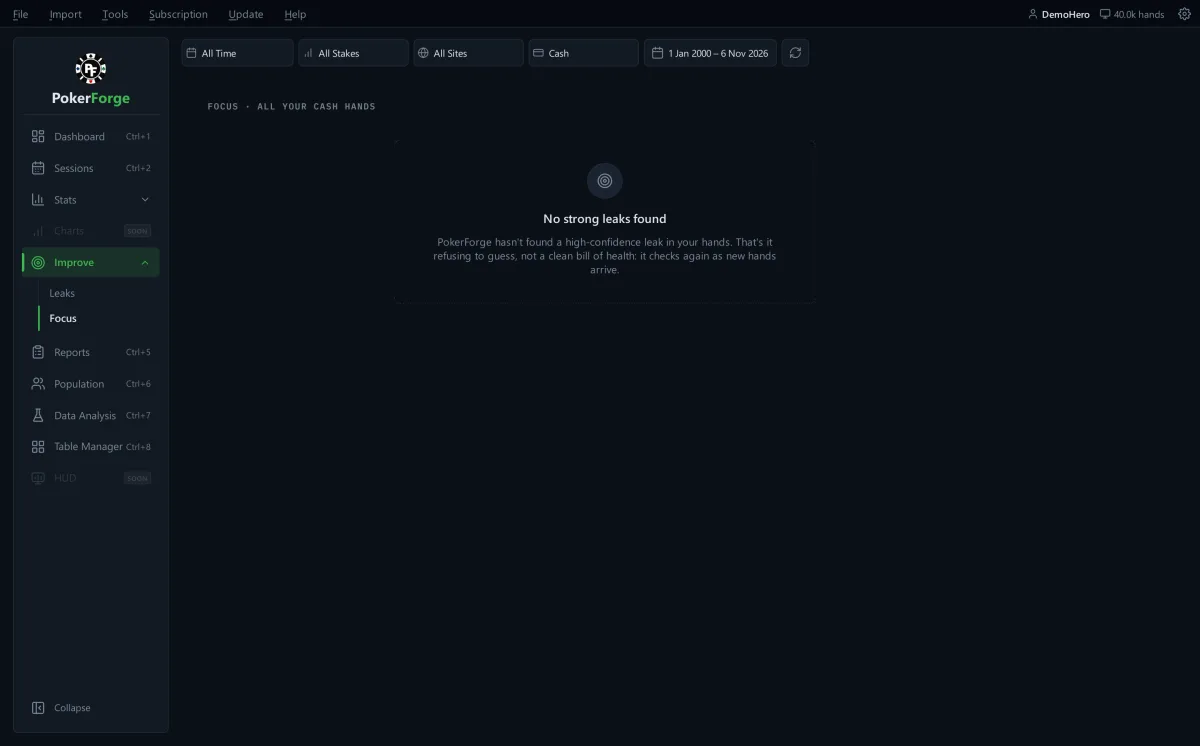
Improve › Focus · generated demo hands
Built by a player, for one question.
“I play online poker, and I had the tracker and the database: hundreds of thousands of hands. What I didn't have was an answer to one question. What should I actually work on? So I started building PokerForge for myself.”
Questions worth answering upfront.
More on installing and setting up in Getting started.
Is my hand history uploaded anywhere?
No. PokerForge reads your hand-history files and stores everything in a local database on your own PC. There's no account and no cloud copy of your hands.
The app can make three requests: a daily update check (on by default, and you can turn it off), an anonymous usage ping only if you opt in, and a licence check only if you've entered a paid key. None of them includes your poker data. See the privacy policy for the detail.
Windows showed a warning when I ran the installer. Is that safe?
That "Windows protected your PC" screen is Microsoft SmartScreen. It appears for new installers from developers who haven't bought a code-signing certificate yet, and isn't a sign of a problem with the app. Click "More info", then "Run anyway".
You can also check the installer against the SHA-256 checksum on the download page.
Which poker sites does it support?
PokerStars, GGPoker, Winning Network (ACR), iPoker and CoinPoker for cash games, and PokerStars, GGPoker and Winning Network for tournaments. GGPoker, Winning Network and CoinPoker anonymise opponents in their own hand histories, so hands from those rooms feed your own stats rather than opponent profiles. Room details
Is it a PokerTracker or Hold'em Manager alternative?
For studying your database, yes. It imports the same hand histories and focuses on connecting your results to the positions, spots and hands behind them. It doesn't have a live HUD, so many players keep their tracker for the HUD and use PokerForge for study.
What does it cost?
Does it run on Mac?
Not yet. PokerForge is a Windows 10 and 11 desktop app. If you'd use a Mac version, let us know: it helps decide what comes next.
Your next session is already in your hand history.
See what PokerForge makes of it. Free during the beta, about 45 MB, for Windows 10 and 11.